Quick Summary
Ultimately, if you’re already working within a specific platform (like designing an entire presentation, portfolio, business card, flyer, etc.) that makes things easy, then we recommend going with Canva.
On the flip side, if you’re looking to shorten links as part of a dedicated link management strategy — perhaps you want to track them, do some analytics, launch a campaign, etc. — Bitly will be a far better fit.
Key Takeaways
- If you work with Canva, this would make sense if your short-linking task involves some kind of Canva design.
- Bitly has a stronger focus on short-link management, tracking, and campaign measurement.
- It’s worth noting that a short URL could also come into play with things like portfolios, presentations, flyers, business cards, and QR code workflows.
- It’s important to note that you don’t always need an advanced link management platform for a basic URL shortening task.
- Your ideal choice will depend heavily on your work flow, how many links you’re managing, if you need to track them, and who your target audiences are.
- Canva and Bitly aren’t one-size-fits-all solutions, after all.
Quick Answer: Canva Link Shortener vs Bitly
So should you use Canva’s Link Shortener over Bitly? For most creators who need a shortened URL during their journey of creating content for Canva projects — especially if they plan to include that URL in a presentation, flyer, portfolio, business card, etc., it makes sense to go with Canva first.
Bitly wins out here though if your primary goal is managing and analyzing these links, because currently its entire toolset focuses on short-link tracking/analytics (e.g., number of clicks, referral info, what devices they were clicked from, where geographically users clicked, how they performed across different times of day, etc).
There’s no universal winner. Use Canva if you need to get work done on your designs, but use Bitly if this is about link management.
Who Is This Guide For?
This guide is for:
- Freelancers
- Graphic designers
- Content creators
- Social media creators
- Small businesses
- Students
- Portfolio owners
- Digital marketers
- Canva beginners
- Anyone comparing Canva and Bitly for shorter URLs
Introduction
A long URL can work perfectly and still create a surprisingly small design problem.
I have noticed this particularly when working with Canva designs where the destination link needs to be visible. A website address with a long string of characters can take unnecessary space, look messy in a presentation, or become difficult to communicate when someone needs to type it manually.
That is where a URL shortener becomes useful.
Canva now provides a URL Shortener designed around creating shorter links and incorporating them into designs. Its current feature page also highlights custom links, QR codes, and information about link engagement.
Bitly approaches the same general problem from a different direction. It is a dedicated short-link and link-management platform with a stronger emphasis on tracking and analytics.
The interesting question, therefore, is not simply “Which one has more features?”
The better question is:
Which tool fits the way you actually work?
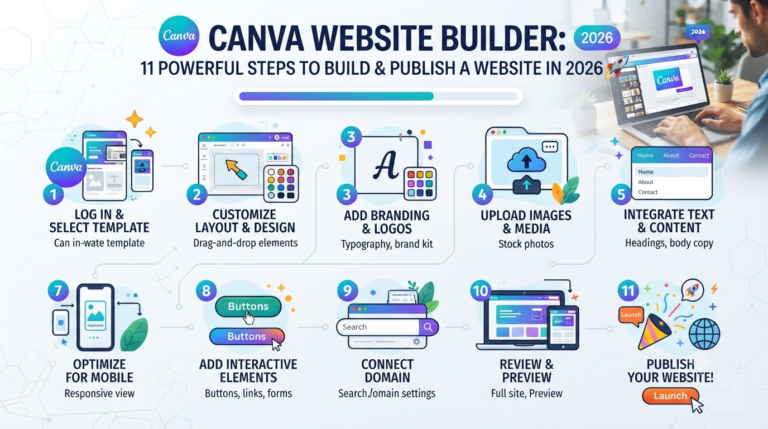
You May Also Like: Canva Website Builder: 11 Powerful Steps to Build & Publish a Website in 2026
What exactly is a Canva Link Shortener?
To put it simply, a Canva Link Shortener allows you to shorten long URLs by making them shorter and easier for sharing on your next creative project.
The current URL Shortener page from Canva shows how their shortener lets you make custom short URLs and integrates well into designs — think things like ads, flyers, social media posts, presentations, business cards, even your online portfolio.
This is especially handy for designers as you might want to use your URL as part of your design.
Here’s an example: You’re creating a presentation for your freelance portfolio and your portfolio website has a really long URL with a lot of characters/parameters on it. Instead of using such a long URL, why not shorten it up?
Why Should I Use a Canva Link Shortener?
A short link can be useful when you want to:
- Keep a design visually clean
- Share a URL more easily
- Add a link to printed materials
- Make a portfolio URL easier to communicate
- Combine a short URL with a QR code
- Avoid placing a long, distracting URL inside a design
The important point is that URL shortening is not automatically necessary. If the original URL is already short and easy to remember, there may be little reason to shorten it.
Can Canva Shorten a URL?
Yes. Canva has a URL Shortener right now.
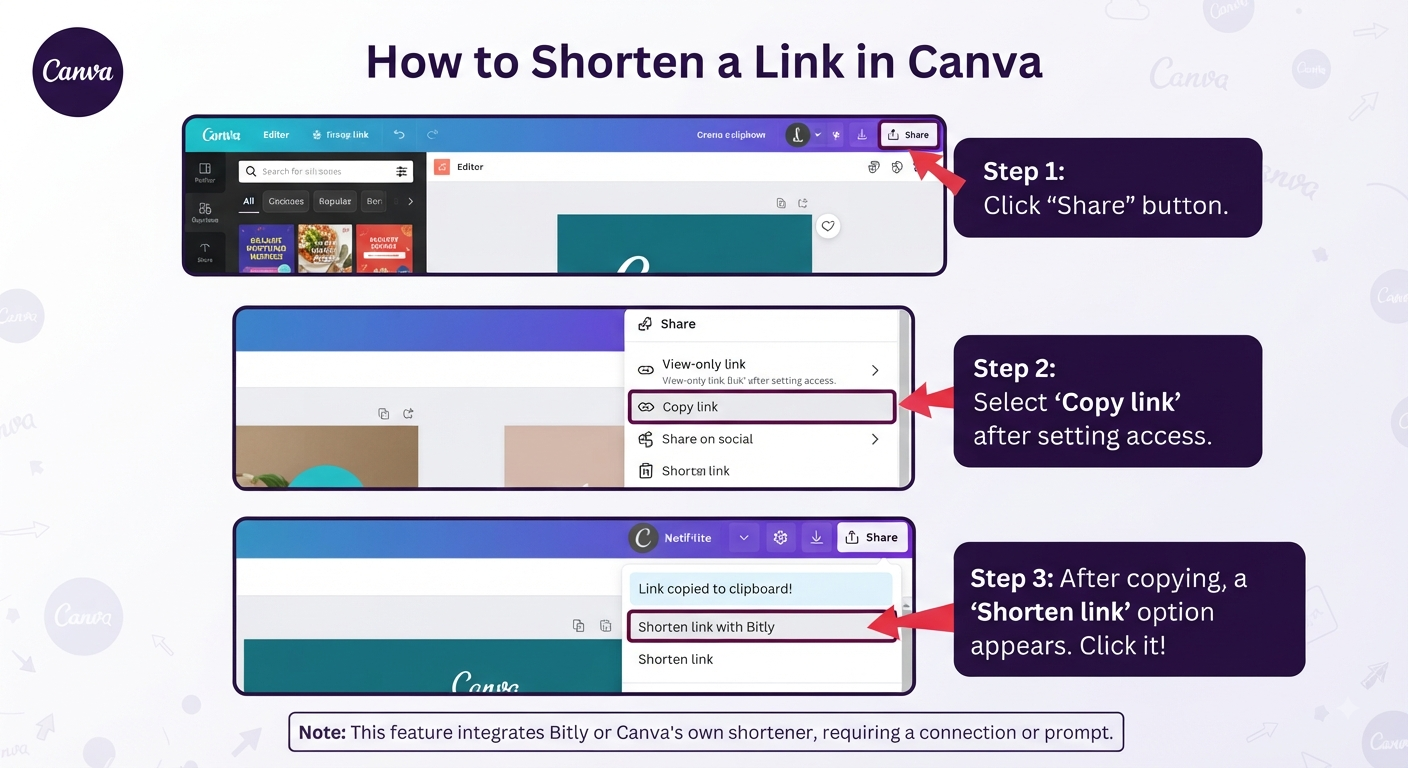
How do I shorten a link in Canva?
Once you have your destination URL, there are no complex steps. You can shorten this on Canva’s website and then take advantage of the short URL wherever needed.
As per Canva’s current documentation, this means taking a URL, creating a short link from it, and then inserting the latter into a design.
I’ve also made it a habit to check my short URLs before sharing designs publicly to make sure they point to their intended destinations.
How Can I Shorten My URL for Free?
Well, this really comes down to what kind of features and limitations are available right now with each URL shortening service. Right now, Canva marketing their URL Shortener as being free, and Bitly does too (but obviously differs in terms of their various options).
You will be best served visiting a URL shortener’s website to see how they’re advertising their services at this moment — that way, you’ll have an idea of the current limits, features, and pricing, if necessary, before deciding whether to spend money.
How Does a Canva Link Shortener Work?
The basic concept is simple:
Long URL → Short URL → Visitor clicks → Original destination
The shortened URL acts as a more compact address that directs the visitor to the original webpage.
This is different from changing the webpage itself. The destination remains the important part.
For example:
Original:
A long website address containing multiple words, folders, or parameters.
Shortened:
A compact URL that redirects the visitor to the same destination.
This distinction is worth understanding because a shorter URL does not necessarily mean that the underlying webpage has changed.
What Are the Benefits of Using a Canva Link Shortener?
The biggest benefit is often presentation, rather than technology.
Consider these situations.
Portfolio
A freelancer wants to add a website address to a portfolio PDF.
Business Card
A designer wants to include a website URL alongside a QR code.
Presentation
A speaker wants an audience to remember a resource without displaying a very long URL.
Flyer
A business wants a compact URL that fits neatly into a printed design.
Social Media Graphic
A creator wants to display a URL without allowing it to dominate the visual layout.
In these situations, shortening the URL can make the content easier to present.
Canva also describes using shortened links across designs and tracking engagement from shortened URLs, including click totals and location information.
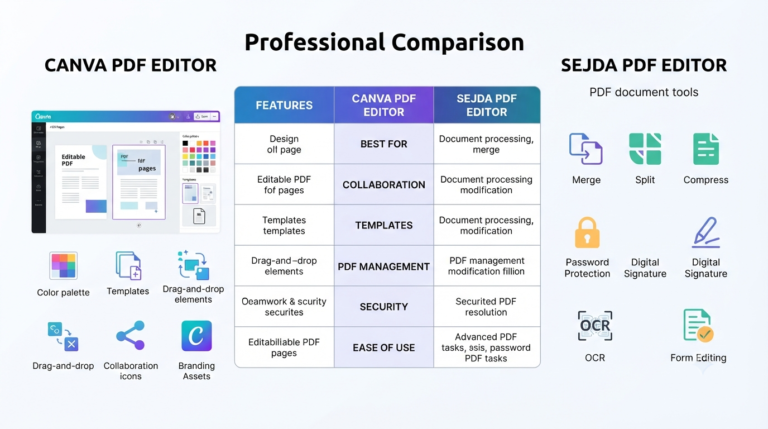
You May Also Like: Canva PDF Editor vs Sejda PDF Editor (2026): Honest Comparison, Key Differences & the Best Choice
Can I Track the Performance of Shortened Canva Links?
Tracking and URL shortening are related, but they are not the same thing.
A short link simply makes a URL more compact. Tracking adds information about how people interact with that link.
Canva currently states that its URL Shortener can provide information such as total clicks and engagement by location.
Bitly places even greater emphasis on link tracking and analytics. Its current guidance describes tracking information such as clicks, referral channel, location, device type, and time-related performance.
So if you only need a shorter link, tracking may not be your primary concern.
If you are running campaigns and want to understand how different links perform, analytics become much more important.
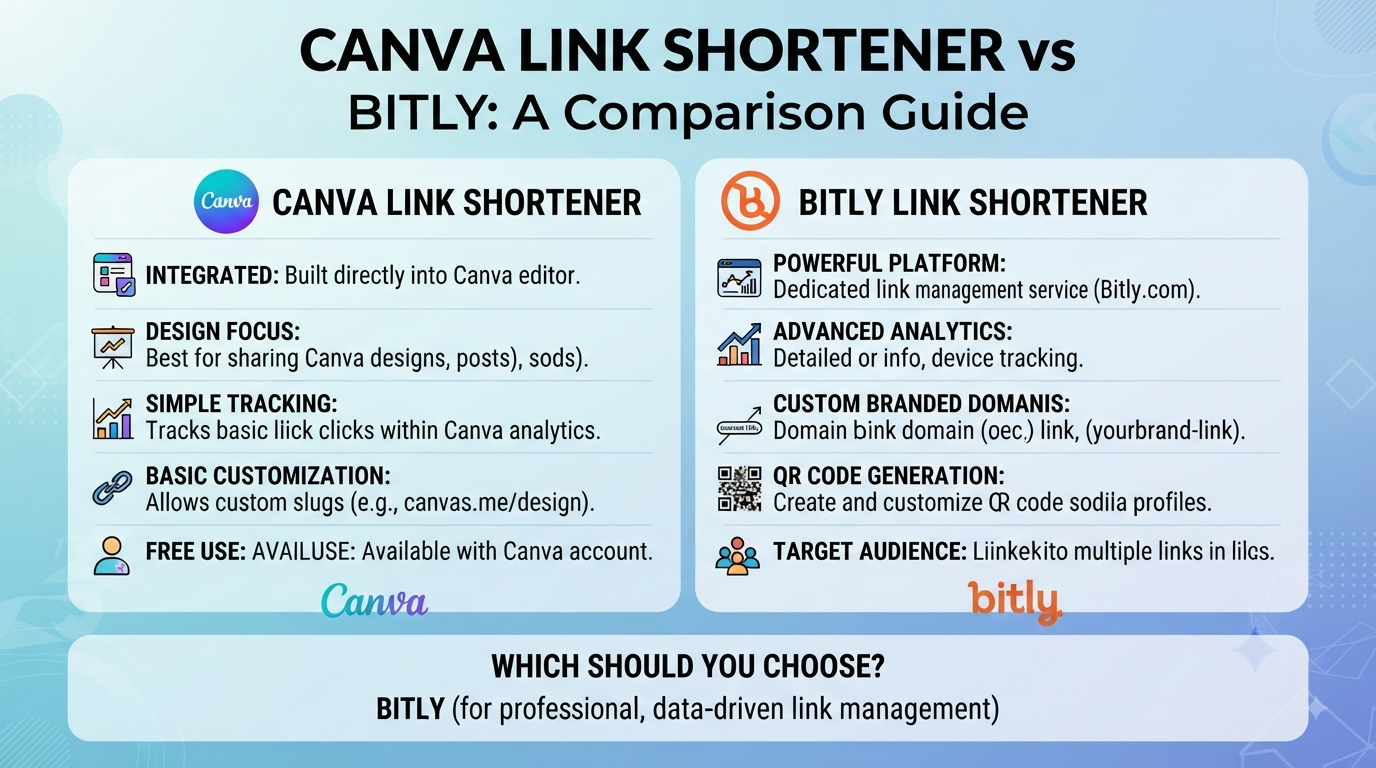
Canva Link Shortener vs Bitly: 9 Key Differences
1. Main Purpose
Are Canva and Bitly Designed for the Same Thing?
Not exactly.
Canva approaches URL shortening from a design workflow. You are already creating something visual, and the short link becomes another useful part of that project.
Bitly approaches the problem from link management. Its current product and educational material place substantial emphasis on short links, tracking, analytics, and managing link performance.
That difference matters.
If you are designing a business card and need a short URL, Canva may feel more natural.
If you are managing links for multiple campaigns, Bitly may be more relevant.
Best fit: Canva for design-first work; Bitly for link-management-first work.
2. Ease of use
Which one is easier for beginners?
If you’re using Canva, it’s going to be the much simpler process if that’s where you are already working.
It’s another good point when thinking about this from the perspective of being a content creator.
You wouldn’t want to interrupt your design work on an ongoing basis by opening up another platform, creating a link, copying the code, coming back and continuing with your design, etc.
This doesn’t even take an extra step – it’s just that having to switch tools unnecessarily makes your process less smooth. Bitly may be pretty basic on the surface, but things become much clearer if you have to do anything beyond just shorten one url.
Canva is great if you’re going to work on some design related stuff.
3. Design Workflow Integration
Which Is Better for Canva Designs?
This is one of Canva’s strongest advantages.
Short links can be used with:
- Presentations
- Portfolio designs
- Business cards
- Flyers
- Posters
- Social media graphics
- Educational materials
Canva specifically describes using shortened URLs directly in designs and highlights the ability to create short links without leaving the platform.
For a graphic designer, that workflow makes sense.
You are not only shortening a URL. You are deciding how that URL will look and where it will appear.
Best fit: Canva.
4. Link Tracking and Analytics
Is Bitly Better for Link Tracking?
If detailed link performance is central to your work, Bitly deserves serious consideration.
Bitly’s current tracking guidance discusses metrics including clicks, referral channels, location, device type, and time of day.
That becomes useful when you are asking questions such as:
- Which campaign generated more clicks?
- Which channel performed better?
- Are people clicking from mobile devices?
- Which link receives more engagement?
Canva also provides link engagement information for its URL Shortener, but the overall product positioning is more closely connected to the design workflow.
Best fit: Bitly when advanced link performance is a major requirement.
5. Branding and Customization
Which Is Better for Branded Short Links?
A short link can do more than save characters. It can also contribute to how professional a link looks.
Canva currently describes custom short URLs and branded-link use cases on its URL Shortener page.
For businesses and creators, this can matter when a link appears on:
- Marketing materials
- Presentations
- Flyers
- Portfolio documents
- Social posts
- Promotional campaigns
However, customization requirements vary. Before choosing a service specifically for branded links, check the current features available under the relevant plan.
Best fit: Depends on your branding requirements and the current plan features of each service.
6. QR Codes and Offline Sharing
Which Is Better for QR Codes?
Short links and QR codes often appear together in real-world design projects.
Imagine a freelancer creating a business card:
Name → Services → QR Code → Portfolio
The QR code can direct visitors to the portfolio, while a short URL can provide a second way to reach the same destination.
Canva currently highlights QR codes alongside its URL-shortening workflow.
This makes Canva particularly interesting for creators who are designing the entire offline-to-online experience in one place.
Best fit: Canva can be especially convenient when the QR code and visual design are being created together.
7. Managing Multiple Links
Which Is Better If You Manage Many Links?
This is where the difference between a simple short URL and a dedicated link-management platform becomes clearer.
A freelancer might only need:
- One portfolio URL
- One resume URL
- One booking URL
A marketing team might have:
- Campaign links
- Social links
- Email links
- Product links
- Event links
- Multiple destination URLs
The second situation creates a much greater need for organization and measurement.
Bitly’s current product material positions link management and analytics as central use cases.
Best fit: Bitly becomes more compelling as link volume and management requirements increase.
8. Which Is Better for Different Types of Creators?
Canva or Bitly for Freelancers?
For a freelancer who simply needs a clean portfolio link inside a design, Canva can be enough.
For a freelancer managing campaigns and tracking different sources of traffic, Bitly may offer a more suitable workflow.
Canva or Bitly for Graphic Designers?
Canva is the natural option when the link is part of the design process.
Canva or Bitly for Content Creators?
The answer depends on whether the creator mainly needs simple sharing or wants detailed performance measurement.
Canva or Bitly for Small Businesses?
A small business that needs simple URLs for printed materials may find Canva convenient. A business running multiple marketing campaigns may have stronger reasons to consider dedicated link management.
Canva or Bitly for Students?
For a student project, portfolio, presentation, or resource sheet, a simple short-link workflow may be all that is needed.
9. Simplicity vs Dedicated Link Management
Is a Simple Canva Short Link Enough?
This is probably the most important question in the entire comparison.
If your requirement is:
“I have a long URL and I want a shorter version that I can use in my Canva project.”
Start with Canva.
If your requirement is:
“I have multiple links and I want to manage, track, analyze, and organize them.”
A dedicated platform such as Bitly becomes more relevant.
The mistake is assuming that the tool with more features is automatically better.
A creator who needs one short link may not benefit from a complicated workflow.
The best tool is the one that solves the actual problem without adding unnecessary complexity.
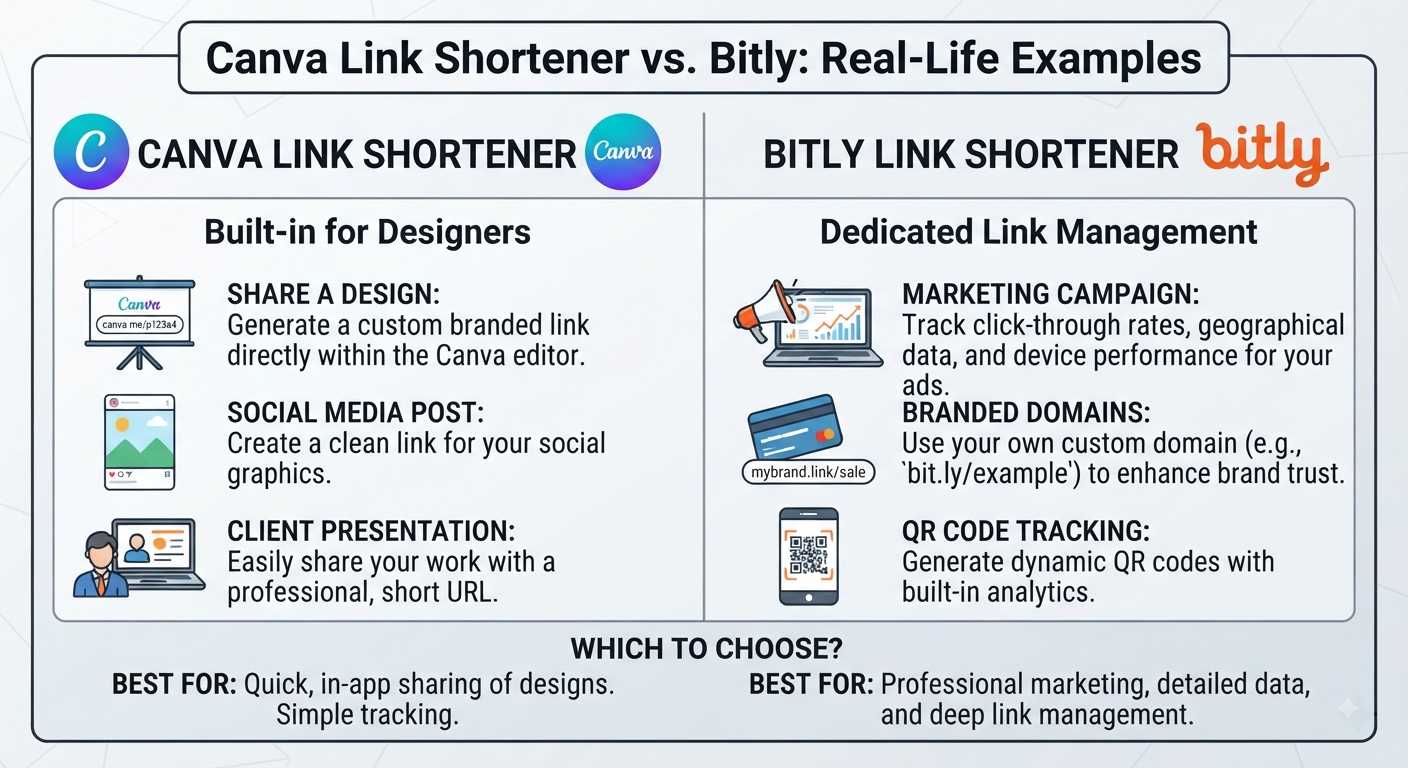
Canva Link Shortener vs Bitly: Real-Life Examples
Example 1: Freelancer Portfolio
Imagine you are creating a Canva portfolio for a client.
You need to place the portfolio website address on the final page.
The URL is long.
You do not need complicated campaign analytics.
My choice: I would start with Canva.
The primary problem here is presentation and convenience.
Example 2: Social Media Campaign
Now imagine a business is running several campaigns and wants to understand which links receive the most clicks.
The priority has changed.
My choice: I would consider Bitly because tracking and link management are now more important than simply creating a shorter URL.
Example 3: Business Card
A business card has very limited space.
A QR code can provide a visual way to open the website, while a short URL gives the customer another option.
My choice: Canva is attractive here because the QR code, URL, and visual design can be handled within the same creative workflow. Canva itself currently promotes QR codes and short links as related design use cases.
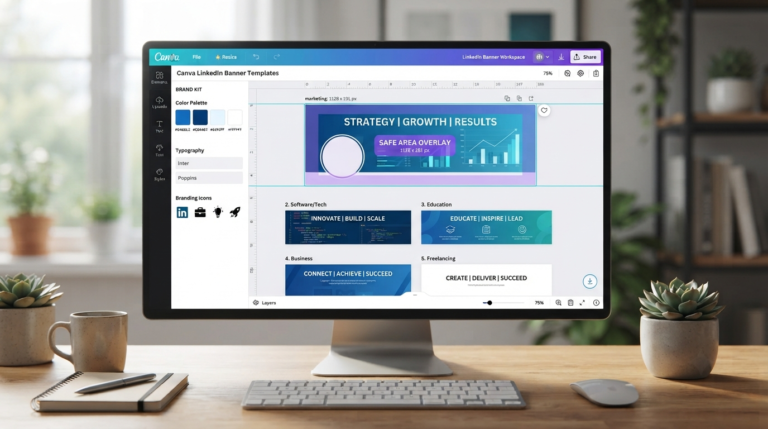
You May Also Like: Canva LinkedIn Banner Templates: 12 Smart Tips for a Professional Profile (2026)
My Experience Using Canva for Short Links
I’ve been working with Canva lately and picked up some things about how workflow choices can change the end product significantly.
Putting a long URL into an otherwise nicely designed presentation or portfolio won’t stop it from working but will create a visual distraction – for which using url shortener services solves. That’s changed how I see URL shortening for myself as well!
As with everything else related to web services there are pros and cons. First of all you don’t need to use this service for each project, because it’s more about design & communication. Second if you have a short url at hand why complicate things by using this service?
And finally – if your url is longer than required you may shorten it just to fit your presentation, flyer, business card, portfolio…
So, for example, if you’re building an entire project around creating links that need performance tracking and/or you’re looking at setting up campaigns, then you’d probably want to go with a dedicated link management platform.
In this case, rather than checking off features against Canva vs Bitly, focus your evaluation on what kind of job you need this link to do.
What Are the Best Practices for Sharing Shortened Links From Canva?
Before sharing a Canva short link, I recommend checking a few things.
1. Test the destination
Open the short URL yourself before publishing the design.
2. Check it on mobile
A large percentage of people may interact with your content on a phone.
3. Make the destination trustworthy
Do not use a short link to hide a misleading destination.
4. Think about the audience
A short URL may be useful on a business card but unnecessary in a private document.
5. Consider a QR code
For printed materials, a QR code can complement a short URL.
6. Check tracking requirements
If the project involves marketing measurement, decide whether you need analytics before choosing the tool.
7. Keep the design readable
Do not make the URL so small that nobody can read it.
Are There Third-Party Tools That Integrate With Canva for Link Shortening?
Yes! Bitly is one of such third parties as their focus area lies on providing short links. Besides this, they also provide analytics related to the shortened links.
But I wouldn’t just switch to another 3rd party service just for having more features.
First ask:
Does the user even need these features? If they don’t, consider creating a simplified version of the same thing.
Also keep in mind what’s currently integrated and required for each plan, as integrations and product interfaces are always changing when you publish a tutorial promising a specific Canva-to-third-party workflow.
Can You Edit or Rename a URL in Canva?
This is an area where people often confuse several different things.
Can I Edit a Link in Canva?
You may be able to change the URL attached to a hyperlink or linked element, depending on the Canva design and current editor interface.
But editing a hyperlink is not the same as shortening the destination URL.
Can I Rename a URL Link?
You can have visible text such as:
Visit My Portfolio
while the underlying hyperlink points to a longer web address.
The visitor sees the readable text, but the destination URL remains separate.
Can I Edit a Hyperlink to Make It Shorter?
Changing the visible text does not automatically shorten the destination URL.
If the goal is specifically to create a shorter web address, you need a URL-shortening workflow.
This distinction is important because a short visible label and a short destination URL are two different things.
How Can I Reduce the Length of a Link?
The simplest explanation is:
Use a URL-shortening service to create a compact URL that redirects to the original destination.
You can shorten a URL when:
- It is too long for a printed design
- It is difficult to communicate verbally
- You want a cleaner visual presentation
- You need a compact link for promotional material
But remember that shorter is not always better.
If your original URL is already simple, changing it may provide little benefit.
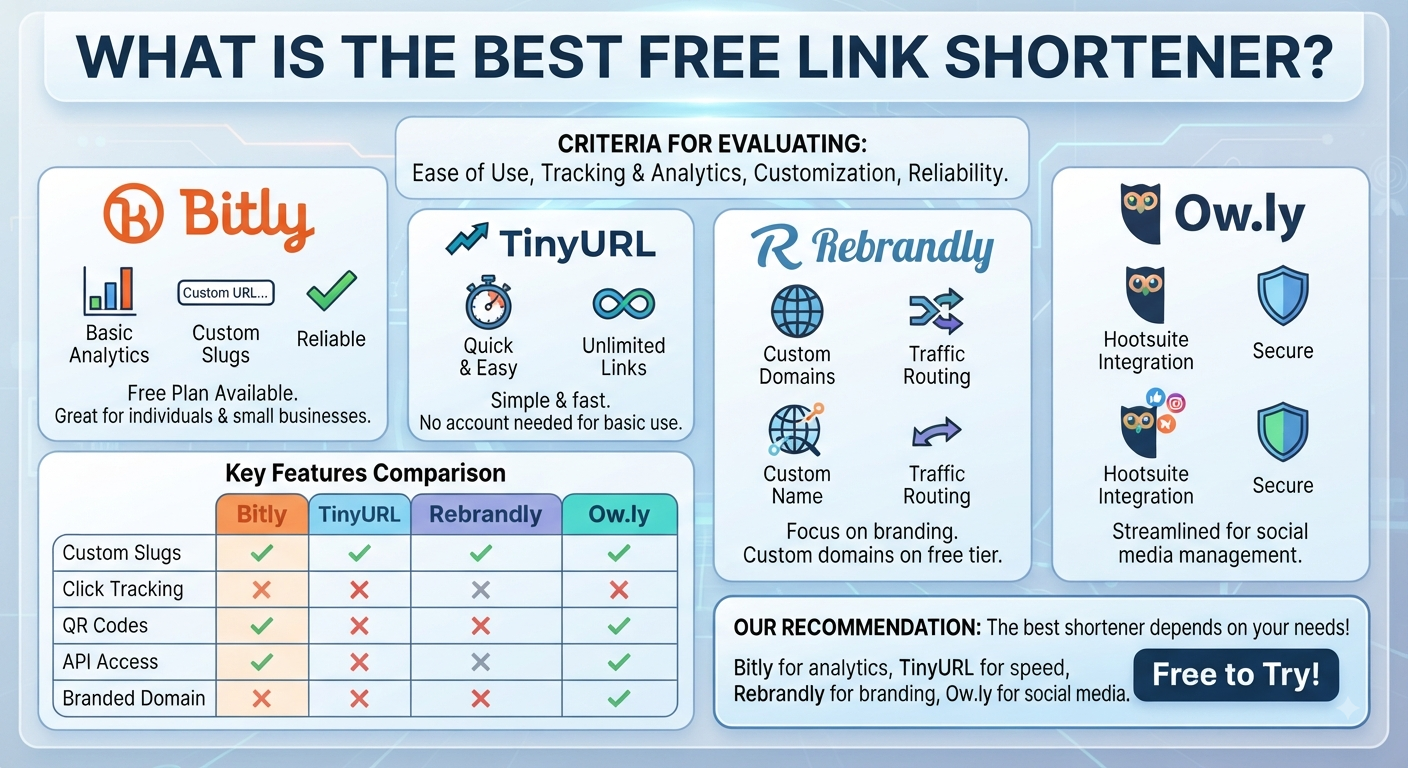
What Is the Best Free Link Shortener?
There is no single best free URL shortener for everyone.
Instead, compare the things that matter to your project:
| Requirement | What to look for |
|---|---|
| Simple shortening | Easy URL creation |
| Creator workflow | Canva/design integration |
| Tracking | Click and engagement data |
| Campaigns | Link organization and analytics |
| Branding | Customization options |
| QR codes | QR workflow |
| Business use | Reliability and management |
| Beginners | Simple interface |
For a creator who mainly works inside Canva, Canva may be the simplest starting point.
For someone who needs a dedicated short-link management workflow, Bitly may be more appropriate.
Always check current plans and limits before making a final decision because product features can change.
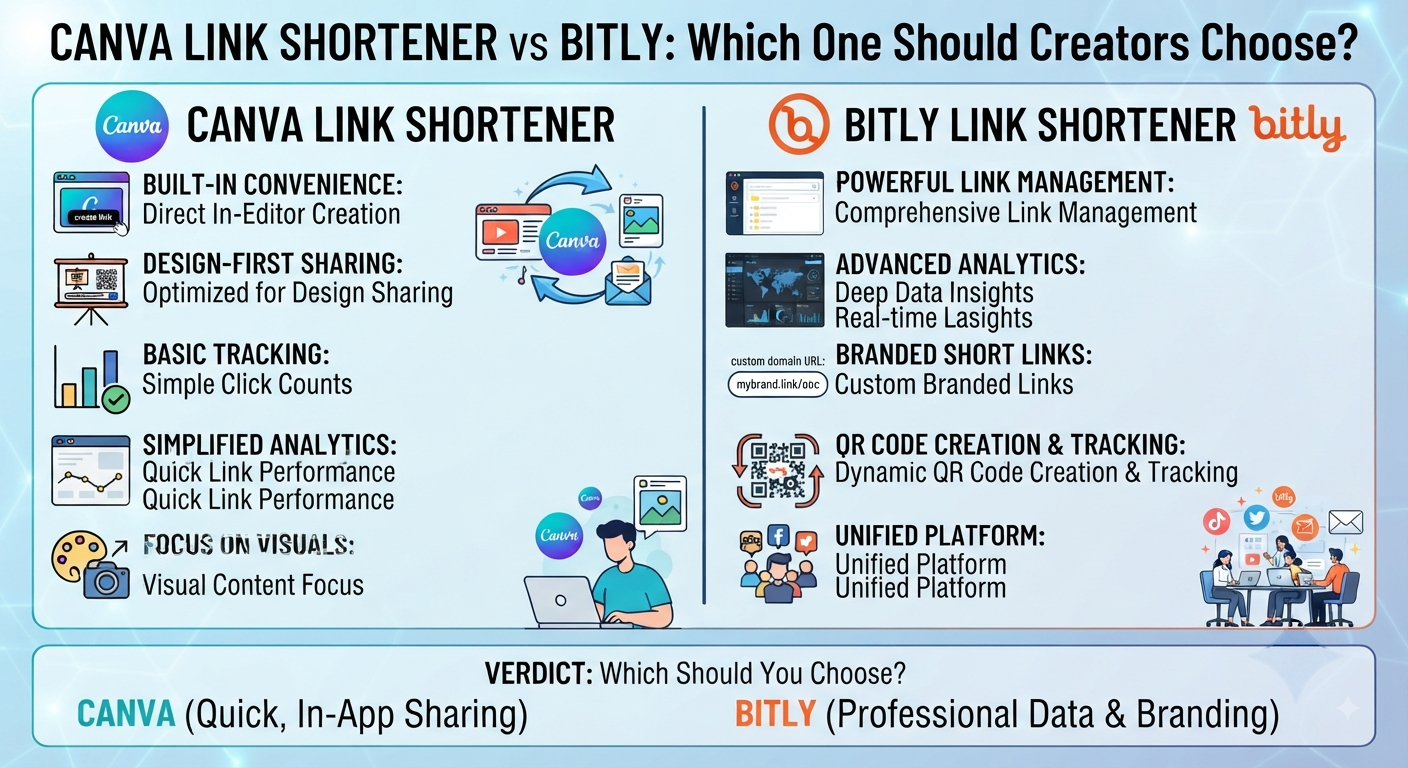
Canva Link Shortener vs Bitly: Which One Should Creators Choose?
Choose Canva if:
- You already work primarily in Canva.
- Your short links are connected to designs.
- You need a straightforward workflow.
- You create presentations, flyers, portfolios, or business cards.
- You do not need extensive link management.
Choose Bitly if:
- You manage many short links.
- Link tracking is important.
- You work with marketing campaigns.
- You need more dedicated link-management capabilities.
- Measuring link performance is a major part of your workflow.
Can You Use Both?
Yes, the choice does not have to be permanent or exclusive.
A creator could use Canva for design-related workflows and use a dedicated link-management platform when a particular project requires more detailed tracking or organization.
Frequently Asked Questions
What’s A Canva Link Shortener?
The purpose of a Canva link shortener is to create a shorter URL which could be used more easily across your Canva related design workflows. Currently, this is how Canva describes their URL Shortener – “Supports short/custom links & design integration.”
Does Canva Have A Built-In Link Shortener?
Yes, Canva has a feature to shorten URLs as part of their site. You should check what exactly is available on Canva’s site and verify against your own documentation for exact features while following this guide.
Canva shortening a url?
Well, Canva does offer a way to shorten a URL by providing an option for users to enter their long URLs to shorten them right here on this page itself. So if you are looking out for how to shorten a url using canva then read ahead! How to shortens your links in canva?
Step 1 – Use the Current Workflow With the URL Shortener (see instructions here)
After entering the destination url, you’ll need to run through the steps of generating your shortened link. Then test that link, make sure everything works as intended, and share or include it on your design.
Canva has an excellent article about creating your short links for your Canva Designs – please see this resource here.
How do I create a shortened link for my Canva design?
The best way to start is by creating the short URL via Canva’s URL Shortener, and then using that link wherever appropriate in your design or sharing process. We recommend using these types of short links when designing with Canva.
How do I shorten my URL for free?
You can use a free URL-shortening option such as Canva’s current URL Shortener. Availability, limits, and features can change, so verify the current terms before relying on a particular free-plan capability.
How can I make a link shorter?
Use a URL-shortening service. It creates a shorter URL that redirects visitors to the original destination.
Can I track a shortened Canva link?
Canva currently states that its URL Shortener can provide information such as total clicks and engagement by location.
Can I edit a link in Canva?
You can edit hyperlinks within Canva designs, but editing the destination of a hyperlink is different from creating a shorter URL. The exact editor controls can change as Canva updates its interface.
Can I rename a URL link?
You can use readable text as the visible hyperlink label, such as View Portfolio, while the underlying destination remains a URL. Renaming visible text does not itself shorten the destination URL.
Can I use a short link with a Canva QR code?
Short links and QR codes can be used together in design projects. Canva currently highlights QR codes and short links as related use cases for sharing destinations.
Is Bitly better than Canva?
Not for every user. Canva can be more convenient for creators whose short-link needs are connected to their designs, while Bitly may be more suitable when dedicated link tracking and management are important.
What is the best free link shortener?
The best option depends on your requirements. Compare ease of use, tracking, customization, link management, QR-code workflows, and current plan limits instead of choosing solely because a service is free.
Are there third-party URL shorteners that work with Canva?
Third-party URL-shortening services can be used as part of a creator’s broader workflow, but specific integrations and features should be checked against current official documentation before publishing instructions for a particular setup.
Final Verdict: Canva Link Shortener vs Bitly
If you’re looking for a good place to start with Canva, then that’s probably the better choice if you’re after a simple, short link workflow tied into your design stuff.
Where Bitly starts becoming far more attractive (and where we might argue it shines) are scenarios where the focus is primarily about managing links, getting insights via tracking & analytics and being able to measure campaigns effectively.
I also don’t think this really comes down to “which platform offers the longest list of features” as much as what you’re actually needing.
In other words, If I’m building a portfolio, a presentation, flyer or business card, for instance, but all I need is a bit cleaner URL, then stick with whatever makes sense for me.
So if you’re managing multiple campaigns and need an eye on how your links are performing, it’s worth considering a dedicated link-management platform.
In summary, Canva is design-first — Bitly is link-management-first. Pick whichever does the job best for your particular use case.