15 Best Canva Alternatives (2026) | Free & Paid AI Design Tools
Introduction
Graphic Design Made Accessible To Millions – For everything from social media posts to presentations to YouTube thumbnails to resumes to marketing materials, Canva provides one of the easiest graphic design experiences on earth.
But It Isn’t Perfect For Everyone – Many users end up searching “canva alternatives” if they’re seeking out more advanced editing capabilities, better AI image generation, enhanced collaboration, superior branding tools, offline editing options, open-source software, or just cheaper Canva alternatives.
If you’ve ever searched:
What can I use instead of Canva? Sites Like Canva – Best Free Canva Alternatives | Is There A Google Alternative To Canva? You are at the right spot!
Over the years, I’ve tested multiple online design platforms as I created various content from presentations to social media graphics, blogs & marketing assets. From that experience, it’s evident that there isn’t a ‘best’ Canva replacement out there – it all comes down to your project & workflow needs.
We’ve done all of that for you! In this article, we’ll compare 15 of the best Canva alternatives out there as of 2026 and explain exactly what they’re good at, how they fall short, who should use them, and — most importantly — when using an alternative to Canva may make sense over just using Canva itself.
Instead of ranking these tools by popularity alone, we focus on real-world usability, AI capabilities, design quality, pricing, collaboration, learning curves, and other factors that might influence your decision-making process.
Top Summary Answer
Adobe Express is the best Canva alternative for most users because it combines an easy-to-use interface, AI-powered design features, professional templates, and strong branding tools. If you’re looking for a free Canva alternative, VistaCreate is one of the best choices. For professional UI and product design, Figma is the industry standard, while Microsoft Designer stands out for AI-generated graphics. Ultimately, the best Canva alternative depends on your workflow, budget, and design goals.
What Are Canva Alternatives?
Canva alternatives are graphic design platforms that offer similar features to Canva, such as drag-and-drop editing, templates, AI-powered design tools, photo editing, presentation creation, and collaboration. Depending on your needs, some Canva alternatives focus on professional design, while others specialise in AI-generated graphics, presentations, branding, or free online editing.
Quick Definition
Canva alternatives are websites and software that let you create graphics, presentations, social media posts, logos, and other visual content without using Canva.
Short Note
If you want the short answer:
| Need | Best Choice |
|---|---|
| Best overall Canva alternative | Adobe Express |
| Best free Canva alternative | VistaCreate |
| Best AI design platform | Microsoft Designer |
| Best for professional designers | Figma |
| Best presentation maker | Gamma |
| Best photo editing | Pixlr |
| Best open-source option | Inkscape |
| Best for social media teams | VistaCreate |
| Best AI image generation | Ideogram |
| Best collaborative UI design | Figma |
You May Also Like: Canva Whiteboard Tutorial (2026): 12 Amazing Hidden Features Every Creator Should Know
So why are people even looking for Canva alternatives?
Although the tool has its pros and cons, there are some situations where you’ll need more than what Canva offers.
For example, perhaps you need advanced illustration tools.
- Others Need Better AI Image Generation.
- Businesses Often Need Stronger Brand Management.
- Professional Designers Might Require Vector Precision That Canva Cannot Offer.
Some creators need free software with no feature restrictions.
Common reasons people switch
✅ More AI features
✅ Better photo editing
✅ Professional vector design
✅ Offline editing
✅ Open-source software
✅ Better team collaboration
✅ Lower subscription costs
✅ More creative control
Original Insight: The Design Maturity Framework
One mistake many articles make is assuming everyone needs the same type of design software.
Instead, think of design tools in four stages.
| Stage | Best Tool Type |
|---|---|
| Beginner | Canva, Adobe Express |
| Content Creator | VistaCreate, Microsoft Designer |
| Business & Marketing | Adobe Express, Figma |
| Professional Designer | Figma, Affinity Designer, Inkscape |
As your design skills improve, your software needs naturally evolve.
What Can I Use Instead of Canva?
The answer depends on your goal.
If you create social media graphics
Choose:
- Adobe Express
- VistaCreate
- Microsoft Designer
If you design websites
Choose:
- Figma
If you create presentations
Choose:
- Gamma
If you edit photos
Choose:
- Pixlr
If you need vector graphics
Choose:
- Inkscape
- Affinity Designer
If you mainly use AI
Choose:
- Ideogram
- Microsoft Designer
- Adobe Firefly
There isn’t one perfect Canva replacement.
There is only the best tool for your workflow.
Is There a Google Alternative to Canva?
This is one of Google’s most searched questions.
The answer is not exactly.
Google does not currently offer a dedicated Canva competitor.
However, many people combine:
- Google Slides
- Google Drawings
- Google Docs
- Gemini
- Google Workspace
Create presentations, marketing materials, infographics, and more with this app’s basic graphic capabilities.
However, compared to Canva, this combination doesn’t have access to its vast template libraries and lacks the drag-and-drop editing experience of Canva.
If you’re looking for “canva alternatives free developed by Google”, then as of now, there isn’t an official design platform made by Google that comes close to what Canva does.
You May Also Like: Canva Letterhead Templates Review: The Professional Branding Upgrade I Wish I’d Made Earlier (2026)
How We Evaluated Every Canva Alternative
Instead of ranking software based only on popularity, we evaluated every tool using the same criteria.
| Evaluation Factor | Why It Matters |
|---|---|
| Ease of use | Beginner friendliness |
| AI capabilities | Faster content creation |
| Templates | Faster workflow |
| Collaboration | Team projects |
| Free plan | Budget users |
| Professional features | Advanced work |
| Export quality | Print and digital |
| Performance | Speed and reliability |
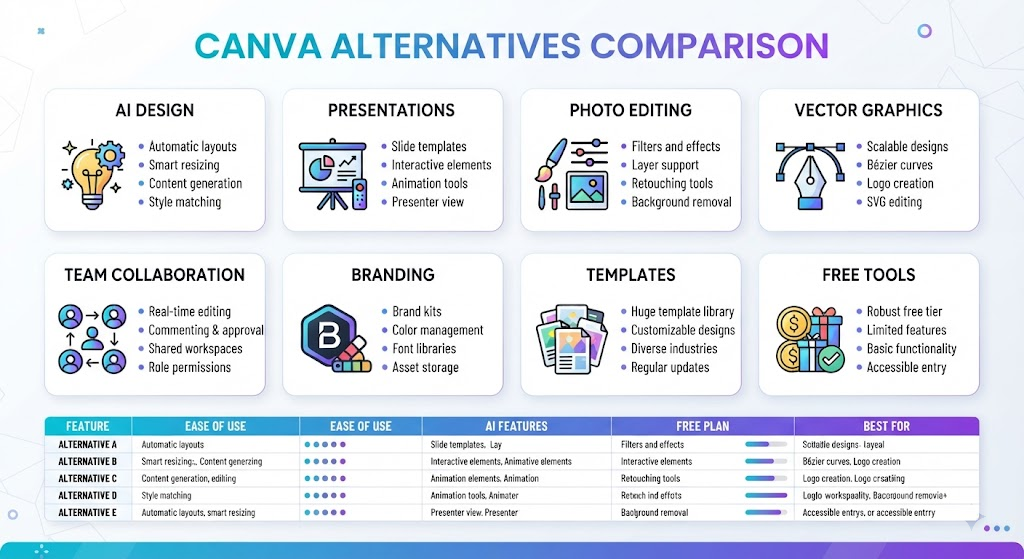
Canva vs Canva Alternatives
| Feature | Canva | Most Alternatives |
|---|---|---|
| Learning curve | Very Easy | Easy to Advanced |
| AI tools | Excellent | Varies |
| Templates | Huge library | Usually smaller |
| Vector editing | Limited | Better in Figma & Inkscape |
| Offline support | No | Some support it |
| Professional workflow | Moderate | Better in dedicated software |
| Collaboration | Good | Excellent in Figma |
| Presentation tools | Good | Better in Gamma |
15 Best Canva Alternatives (Detailed Reviews)
- Adobe Express — Best Overall Canva Alternative
Best for
Who can benefit from using Adobe Express?
- Small businesses.
- Social media creators.
- Students.
- Marketing teams.
Why should you use Adobe Express?
With Adobe Express, you get access to all of Adobe’s creative ecosystem but still have an easy-to-use editing tool for beginners. You’ll feel at home if you’ve used Canva before. Plus, you have better branding tools than other apps that integrate seamlessly into Photoshop, Illustrator, Lightroom, and even Adobe’s own AI solution (Firefly).
Pros
✔ Excellent templates
✔ Powerful AI image generation
✔ Brand kits
✔ Adobe ecosystem
✔ Quick Actions
Cons
✘ Premium features require subscription
✘ Some AI credits are limited
Best For
Users looking for Canva with enhanced professional features.
Rating: ⭐⭐⭐⭐⭐ (9.8/10)
- Microsoft Designer — Best AI Design Platform
If AI is your priority, Microsoft Designer comes out as one of the best Canva alternative apps with AI technology powered by Microsoft, generating anything ranging from posters, Social Media Graphics, Invitations, presentations, to Marketing Materials simply using Text Prompts!
Why it stands out
Unlike other editors where you have to start from blank canvases, Microsoft Designer begins with your ideas.
Pros
✔ Excellent AI generation
✔ Fast social graphics
✔ Beginner-friendly
✔ Microsoft ecosystem
Cons
✘ Smaller template library
✘ Limited manual editing compared to Canva
Rating: ⭐⭐⭐⭐⭐ (9.6/10)
- VistaCreate — Best Free Canva Alternative
So if you’re wondering, “What’s a good Canva alternative?” look no further — here are our picks for free alternatives to Canva that offer similar features.
VistaCreate offers an experience very similar to Canva with a familiar interface.
Pros include thousands of templates, Brand Kit, animation tools, social media scheduling, and more. It also gives access to many free stock assets.
We also offer content creators and small businesses an option to apply for a special discount rate.
Rating: ⭐⭐⭐⭐⭐ (9.5/10)
- Figma — Best for Professional Collaboration
But Figma wasn’t developed to be an out-and-out Canva replacement — it’s one of the industry leaders for collaborative design platforms.
Design teams use Figma for:
- UI Design
- App Design
- Website Mockups
- Interactive Prototypes
- Team Collaboration
- Why Professionals Love It
Multiple people can work on the same project at once, including version history, comments, and tools for handing off to developers
Pros
✔ Industry standard
✔ Real-time collaboration
✔ Powerful components
✔ Advanced design system support
Cons
✘ Steeper learning curve
✘ Not ideal for casual social media graphics
Rating: ⭐⭐⭐⭐⭐ (9.8/10)
- Pixlr — Best Online Photo Editor
If you find yourself spending most of your time editing rather than designing, try out Pixlr.
You’ll get AI-powered edits, remove backgrounds, apply filters, make retouches, and more to your photos right in your browser.
Pixlr Best For:
Bloggers
Ecommerce sellers
Product photography
Thumbnail creators
Rating: ⭐⭐⭐⭐☆ (9.2/10)
Expert Tip: Don’t Replace Canva Completely
An important insight I’ve learned as an experienced creator is that the best way to optimise your workflow may be through a combination of several different tools.
For example:
- Generate AI concepts with Microsoft Designer.
- Refine layouts in Canva or Adobe Express.
- Create professional UI designs in Figma.
- Polish up your product shots in Pixlr.
The key to saving yourself precious hours (and making better work) isn’t choosing one platform that can do everything. Instead, pick the best tool at each stage of the process!
- Gamma — Best for AI Presentations
If you’re primarily looking to create presentations rather than social graphics, then Gamma is one of our top recommendations when choosing an alternative to Canva.
This tool uses AI to produce entire presentations based on your input prompt—including layout suggestions, visualisations, and formatting. Compared to more traditional slide editors, using Gamma can save considerable amounts of time as you craft professional-looking slides.
Best For:
Business presentations
Students
Startup founders
Marketing proposals
Sales decks
Pros:
AI-generated presentations
Modern interactive layouts
Easy sharing
Web-based collaboration
Cons:
Limited graphic design features
Fewer customisation options compared to Canva
Rating: ⭐⭐⭐⭐⭐ (9.4/10)
- Inkscape — Best Free Vector Design Software
If you’re making logos, icons, illustrations, or SVG graphics, Inkscape is one of the best free alternatives to Canva.
In contrast to Canva, which requires you to subscribe to use its tools, Inkscape lets you do all sorts of pro-level vector editing without a subscription.
Best For: Logo designers, illustrators, print designers, SVG editing pros.s Completely free, open source. Powerful vector tools. Excellent SVG support.t Cons: Steeper learning curve.e Interface feels less modern
Rating: ⭐⭐⭐⭐☆ (9.1/10)
- Affinity Designer — Best One-Time Purchase Alternative
One thing we noticed was that many designers liked Affinity Designer because they can get all the professional features without needing a monthly subscription.
For most users, this means no more paying every month—just buying the software outright. That said, if you don’t have experience with design programs, one of our other picks might be better suited for your needs.
Best For:
Professional designers, Branding, Illustration, Print projects.
Pros:
No recurring subscription, Fast performance, Professional vector editing, Excellent typography tools.
Cons:
Not beginner-focused, Smaller template library
Rating: ⭐⭐⭐⭐⭐ (9.6/10)
- Adobe Firefly — Best AI Image Generation
Focuses on generative AI rather than traditional drag-and-drop design. Lets you generate images, recolour artwork, expand backgrounds, and more through prompts.
Best for:
- AI artwork
- Marketing visuals
- Creative experimentation
Pros: Commercially friendly AI output
- Commercially friendly AI output
- High-quality image generation
- Integrated with Adobe apps
Cons:
- Not a complete design platform
- Requires Adobe ecosystem to work fully
Rating: ⭐⭐⭐⭐⭐ (9.5/10)
- Ideogram — Best AI Text Image Generator
Why Ideogram? Ideogram’s popularity lies in its ability to generate AI images that include readable text — many other AI image generators can’t do this yet.
Best For:
• Posters • Logos • Marketing graphics • Social media creatives
Pros: • Excellent text rendering • Fast AI generation • Creative styles
Cons: • Limited manual editing • AI-focused, not great as a full graphic design tool
Rating: ⭐⭐⭐⭐⭐ (9.4/10)
- Photopea — Best Photoshop Alternative
Runs in Your Browser. Supports most professional file types,s including PSD, AI, XD, Sketch, PDF, SVG, etc. Best For: Photoshop Users, Freelancers, Web designers, Pros. Free PSD compatible. Advanced editing. No installation. Cons: Interface may overwhelm beginners; Ads in free version.
Rating: ⭐⭐⭐⭐☆ (9.3/10)
- Visme — Best for Business Content
While other platforms specialise in daily graphic designs, Visme’s focus lies in business communication. That said, it has excellent tools for creating reports, infographics, presentations, and even corporate documentation.
Best For: Reports / Infographics / Presentations / Corporate documentation Pros:
- Excellent Charts
- Interactive Elements
- Professional Templates Cons:
- Smaller Creative Library
- Premium Plans Unlocks Many Features
Rating: ⭐⭐⭐⭐☆ (9.2/10)
- Snappa — Best for Quick Social Graphics
Snappa’s design is for speed! With its simple interface,e you can easily make blog graphics, ads, and social media posts within minutes!
Pr:o s Cons: Beginner-friendly; limited advanced editing; fast workflow; smaller template collection; good stock photo integration
Rating: ⭐⭐⭐⭐☆ (9.0/10)
- Kittl – Best for Typography & Print Design
Kittl is gaining popularity for producing vintage, merchandise, and other print-ready typography designs easily.
It’s best for:
• T-shirt businesses • Print on demand • Logo concepts • Vintage branding
Pros: Outstanding text effects; less versatile thaCanvaCaprofessional typographygr, smallerller template li, AI-assistedd design
Rating: ⭐⭐⭐⭐⭐ (9.4/10)
- Desygner — Best Canva-Like Experience
While some of its other elements (such as the ability to edit PDFs) may be less familiar to existing Canva users, Desygner’s design will feel more recognisable — especially if you’re already using Canva.
Best for Small businesses, Marketing teams, Beginners switching from Canva Pro, easy interface, management team, affordable plans; cons: fewer templates than Canva; AI features are still growing
Rating: ⭐⭐⭐⭐☆ (9.1/10)
You May Also Like: Canva QR Code Generator Review: Features, Limitations & Honest Verdict (2026)
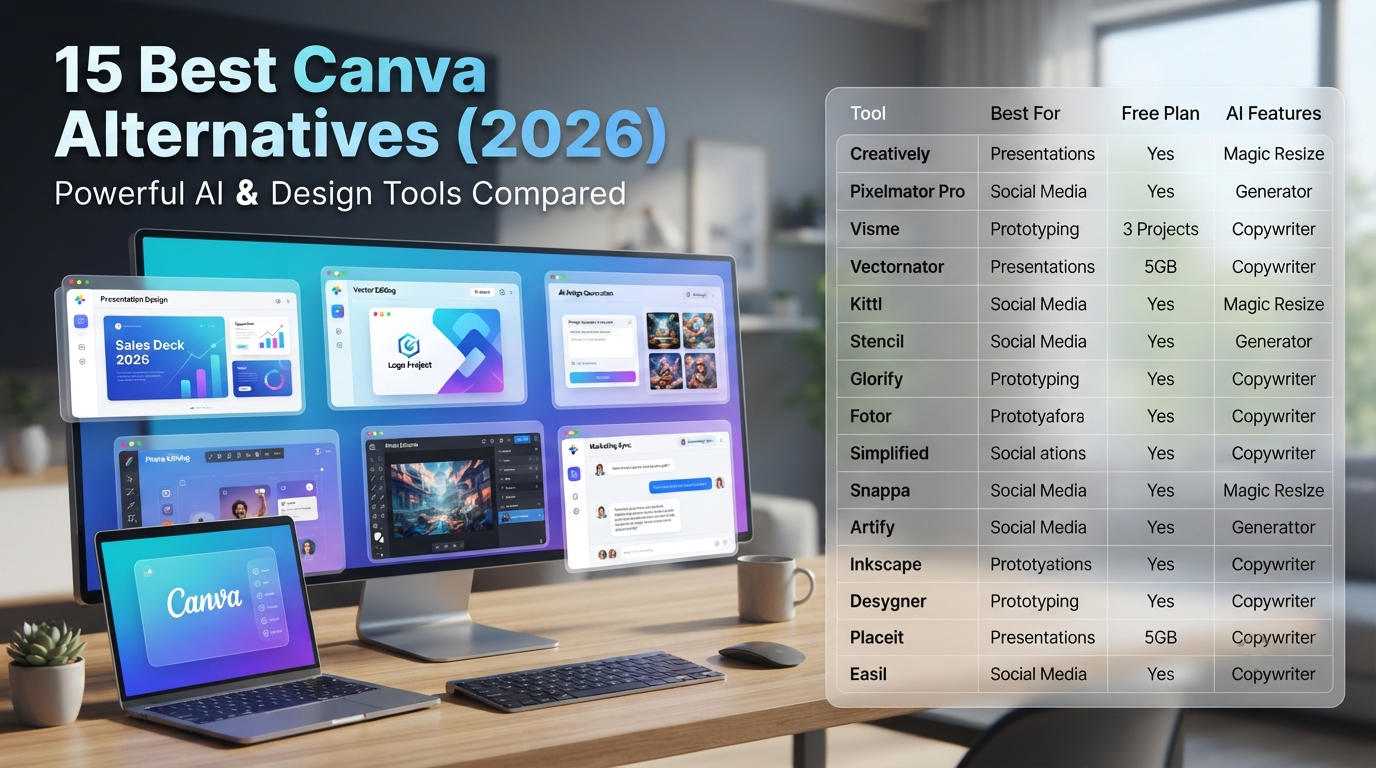
Comparison Table
| Tool | Best For | Free Plan | AI Features | Ease of Use | Overall Rating |
|---|---|---|---|---|---|
| Adobe Express | All-around design | Yes | ⭐⭐⭐⭐⭐ | ⭐⭐⭐⭐⭐ | 9.8 |
| Microsoft Designer | AI graphics | Yes | ⭐⭐⭐⭐⭐ | ⭐⭐⭐⭐⭐ | 9.6 |
| VistaCreate | Free templates | Yes | ⭐⭐⭐⭐ | ⭐⭐⭐⭐⭐ | 9.5 |
| Figma | UI & collaboration | Yes | ⭐⭐⭐ | ⭐⭐⭐ | 9.8 |
| Pixlr | Photo editing | Yes | ⭐⭐⭐⭐ | ⭐⭐⭐⭐ | 9.2 |
| Gamma | Presentations | Yes | ⭐⭐⭐⭐⭐ | ⭐⭐⭐⭐⭐ | 9.4 |
| Inkscape | Vector graphics | Yes | No | ⭐⭐⭐ | 9.1 |
| Affinity Designer | Professional design | No | Limited | ⭐⭐⭐⭐ | 9.6 |
| Adobe Firefly | AI images | Yes | ⭐⭐⭐⭐⭐ | ⭐⭐⭐⭐ | 9.5 |
| Ideogram | AI text images | Yes | ⭐⭐⭐⭐⭐ | ⭐⭐⭐⭐ | 9.4 |
| Photopea | PSD editing | Yes | Limited | ⭐⭐⭐ | 9.3 |
| Visme | Business content | Yes | ⭐⭐⭐⭐ | ⭐⭐⭐⭐ | 9.2 |
| Snappa | Quick graphics | Yes | ⭐⭐⭐ | ⭐⭐⭐⭐⭐ | 9.0 |
| Kittl | Typography | Yes | ⭐⭐⭐⭐ | ⭐⭐⭐⭐ | 9.4 |
| Desygner | Canva-like workflow | Yes | ⭐⭐⭐ | ⭐⭐⭐⭐⭐ | 9.1 |
Which Canva Alternative Should You Choose?
Use this quick decision guide to find the best fit for your workflow.
| If You Need… | Recommended Tool |
|---|---|
| Overall replacement | Adobe Express |
| Completely free option | VistaCreate |
| AI-powered graphics | Microsoft Designer |
| Professional UI/UX design | Figma |
| Logo and vector editing | Affinity Designer |
| Free vector editor | Inkscape |
| AI presentations | Gamma |
| Browser-based photo editing | Pixlr or Photopea |
| Typography and merchandise | Kittl |
| Business reports and infographics | Visme |
Original Framework: The 3-Step Selection Method
Instead of choosing the tool with the most features, choose the one that matches your primary workflow.
Step 1: Define your main output
- Social media posts
- Presentations
- Logos
- Website designs
- Marketing materials
- Photo editing
Step 2: Decide how much AI you need
- Minimal AI
- AI assistance
- AI-first workflow
Step 3: Consider long-term costs
- Free forever
- One-time purchase
- Monthly subscription
Following this process helps avoid paying for features you rarely use.
Common Mistakes When Choosing a Canva Alternative
- Picking software based only on popularity.
- Paying for premium features before testing the free version.
- Ignoring export formats needed for your projects.
- Overlooking collaboration requirements if you work with a team.
- Choosing AI tools that lack sufficient manual editing controls.
- Assuming one platform will handle every design task equally well.
Troubleshooting Guide
| Problem | Solution |
|---|---|
| Templates feel limited | Try Adobe Express or VistaCreate. |
| Need professional logo design | Use Affinity Designer or Inkscape. |
| AI output looks generic | Refine prompts and edit manually after generation. |
| Collaboration is difficult | Move projects to Figma. |
| Subscription cost is too high | Consider Inkscape, Photopea, or VistaCreate. |
| Need better presentations | Switch to Gamma for AI-assisted slides. |
FAQs (Frequently Asked Questions)
What’s the best Canva Alternative for 2026?
Adobe Express is one of our top picks when looking at Canva alternatives if you want to take advantage of some really great all-round features, including easy editing, AI features, templates, etc.
Canva Alternative that’s Free?
There are several great free alternatives you can use instead of Canva that have unique features perfect for specific kinds of designs. For example, programs like VistaCreate, Microsoft Designer, Inkscape, Photopea, and Pixlr all work well, but each one will excel at certain things over others.
Is there an alternative to Canva by Google?
No, unfortunately, Google doesn’t have a direct competitor program to Canva right now. You could combine their Google Slides, Google Drawings, and Gemini tools for some simple design projects, but they can’t compete with Canva’s impressive library of templates and editing experiences.
Which Canva alternative is best for AI?
For AI – Microsoft Designer, Adobe Firefly, Ideogram, and Gamma are good alternatives to Canva with AI-Assisted Design & Content Generation.
Figma vs Affinity Designer: Which One is Best For Professionals?
The best Canva alternatives with advanced design workflows, precision edits, and more.
Which Canva alternative is best for beginners?
Canva Alternative For Beginners: VistaCreate & Adobe Express (Best Pick)
Our key takeaways include:
- Canva is still an outstanding design platform – just not the perfect fit for all workflows
- Adobe Express has the best overall replacement features
- VistaCreate is one of our top picks for the best free alternative to Canva
- Figma is our favourite for collaborative product/interface design
- Gamma streamlines the process of creating presentations with AI
- Affinity Designer and Inkscape are great options if you want to focus on advanced vector work
- Microsoft Designer, Adobe Firefly, and Ideogram help create beautiful designs through AI-assisted creativity
As we can see from the above list, picking the “right” design app ultimately comes down to knowing what kind of creative projects you want to produce rather than counting features.
Final Verdict
Canva remains among the easiest design platforms around. But over time, alternative solutions have developed their own unique specialisations. AI-powered generation, pro-grade illustration, collaborative product design, presentation creation, and photo editing are all areas where other applications hold distinct advantages.
For many users who want the same comfortable experience but with increased creative capabilities, Adobe Express offers the best balance between versatility and quality. However, if you’re looking for another fully functional solution that’s still completely free, VistaCreate hits a great sweet spot in terms of usability and features.
And of course, there are always some tools tailored specifically to pros — Figma and Affinity Designer are both top choices if you need true power. But remember that sometimes mixing and matching different apps can work just as well (and more effectively) than trying to force everything into one package.